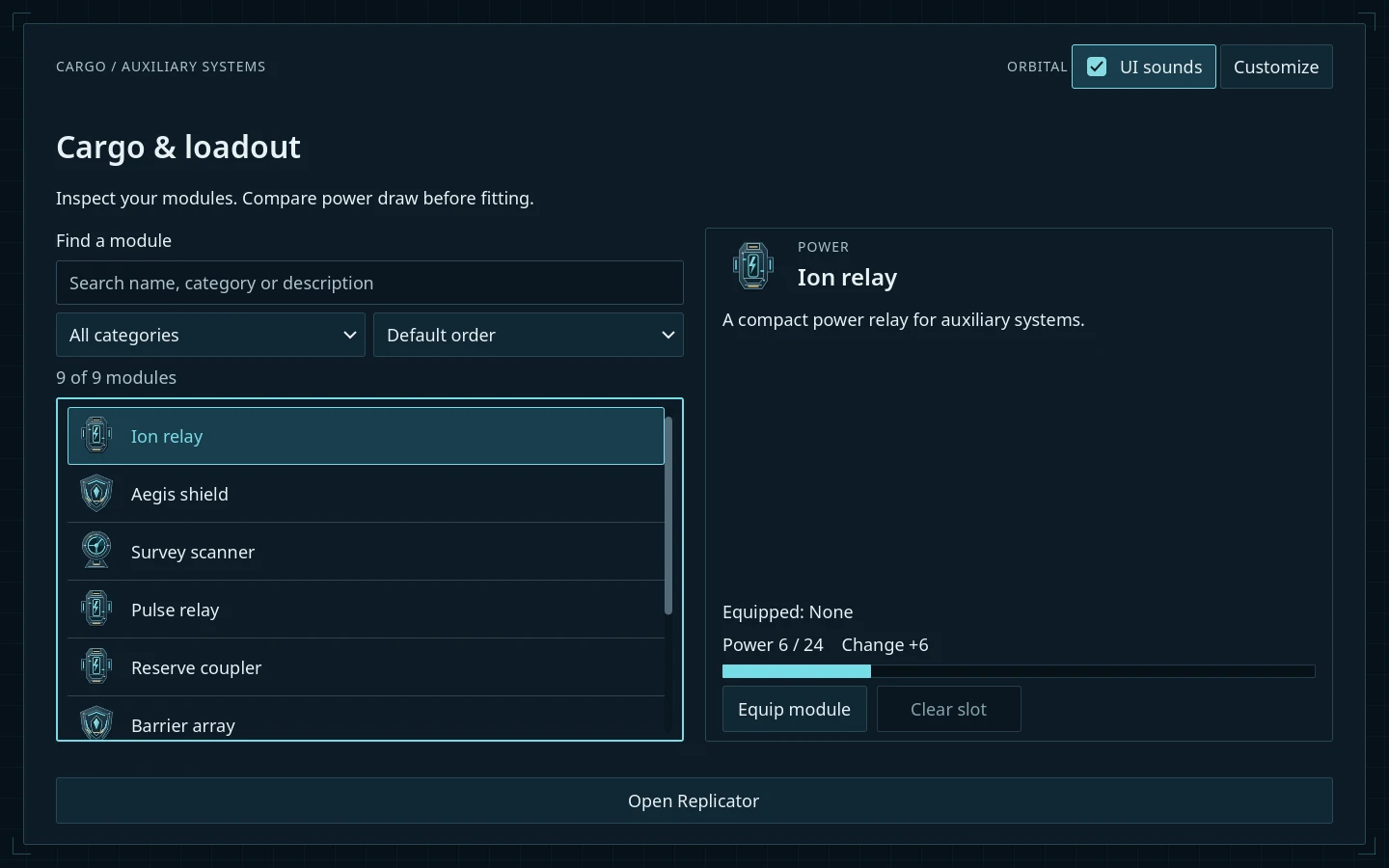
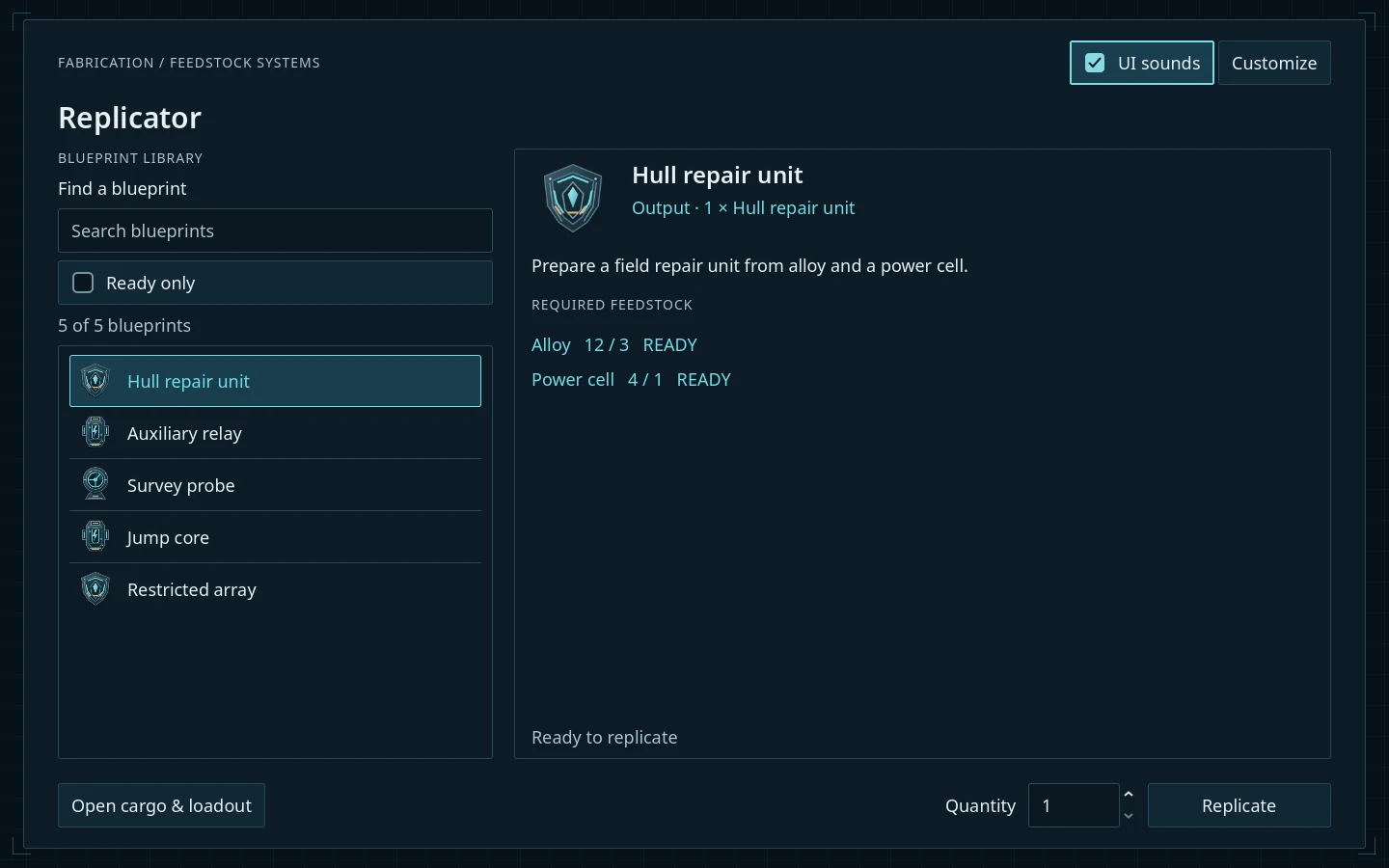
Search, inspect and equip — with your own content. ↗
Editable screens
9
Component scenes
39
Built for
Godot
Make it yours
Source included
A kit you can grow with
Start with the parts you need.
Use the main, pause and settings menus on their own. Add Cargo, Replicator and field UI when they suit your game. Every screen is an editable native scene, with GDScript source beside it.
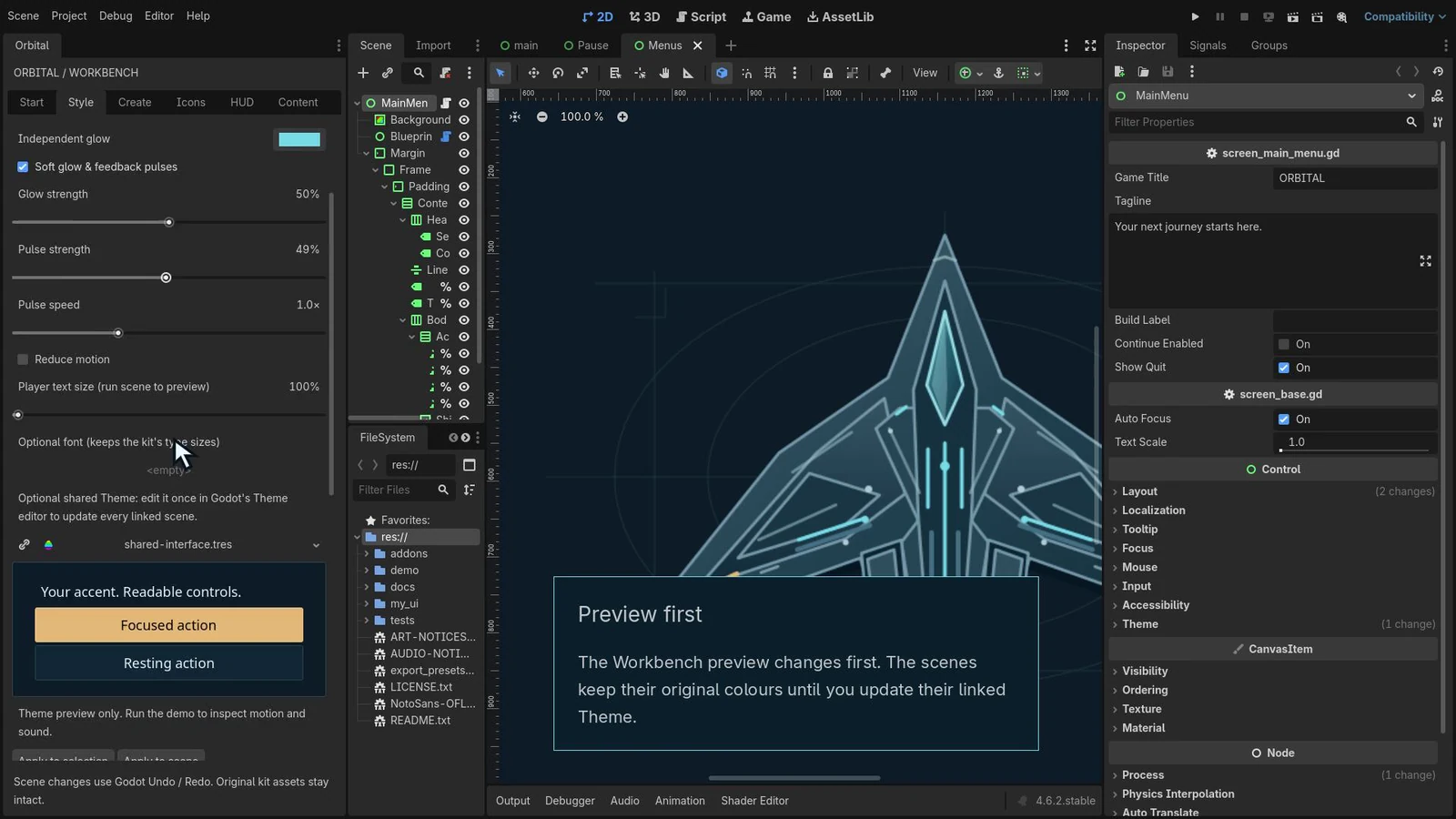
Orbital Workbench helps you connect menus, style the interface and author content without leaving Godot.
Choose one of eight accent presets or set your own colours. Update a linked Theme to carry the palette across your screens while keeping your fonts, geometry and artwork choices.
Stay calm or turn up the Neon. Adjust glow, pulse strength and speed, text size and interface sounds. Reduced motion and glow-off options are included.
Style in Workbench · Apply changes with native Undo/Redo. ↗
02
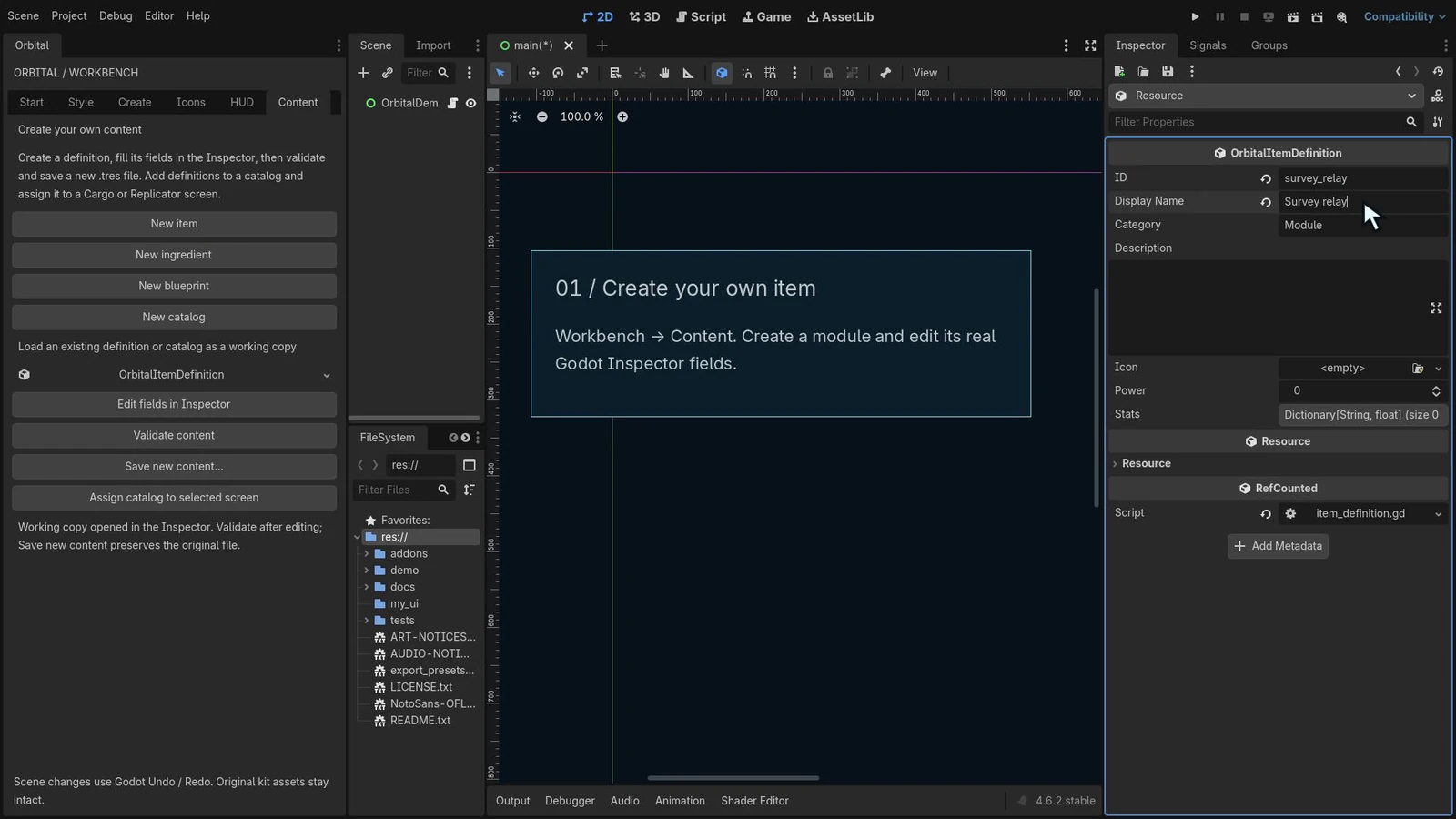
Your items. Your blueprints.
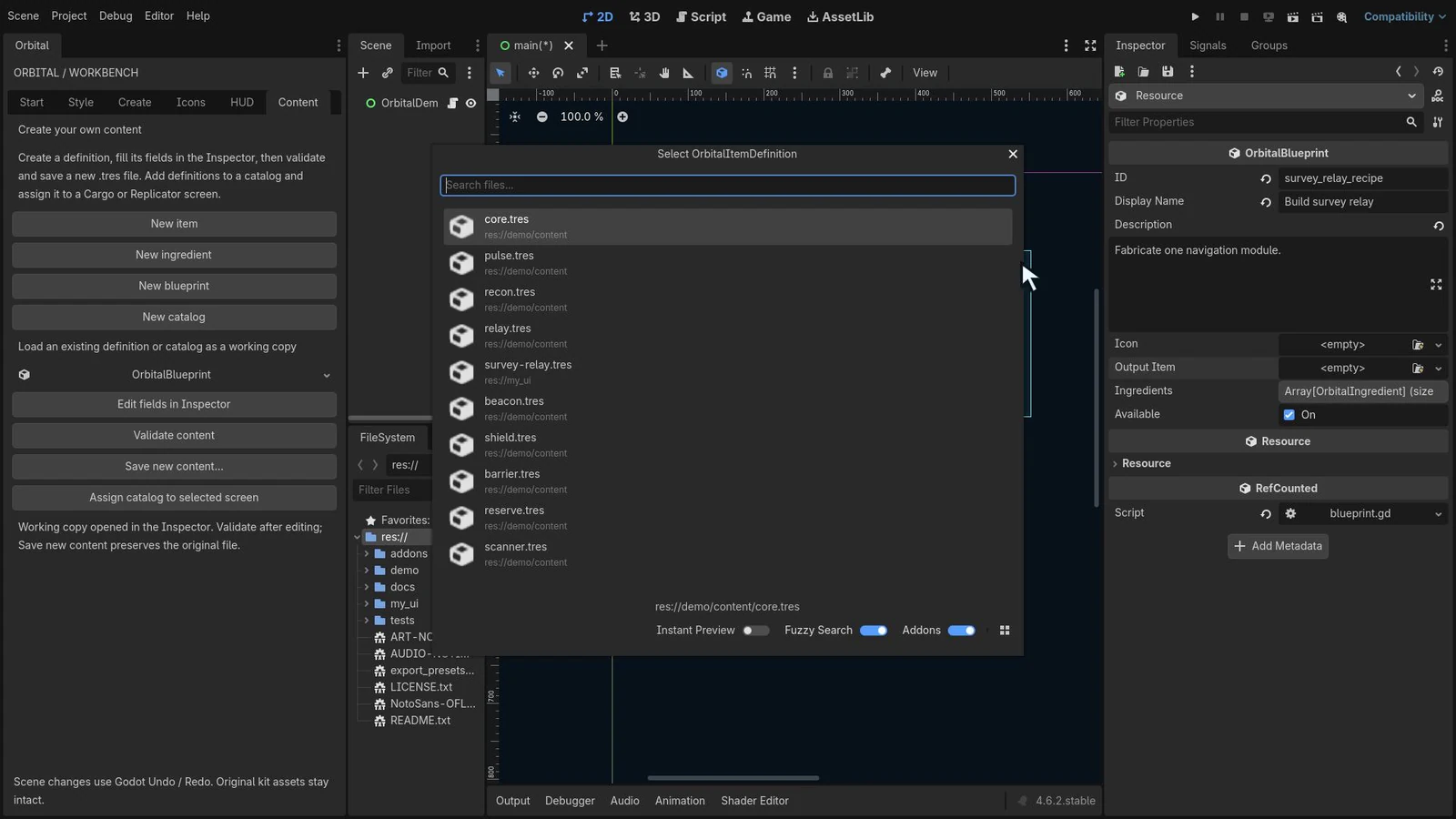
Create native items, ingredients, blueprints and catalogs. Edit the real Inspector fields, validate the resource and save it into your project. Assign a catalog to Cargo or Replicator.
Swap the supplied icons and illustrations for your own artwork. The offline guides walk through the content workflow and image replacement.
Native items · Keep your content editable in Godot. ↗Native blueprints · Link your items and ingredients. ↗
03
A HUD that fits your game.
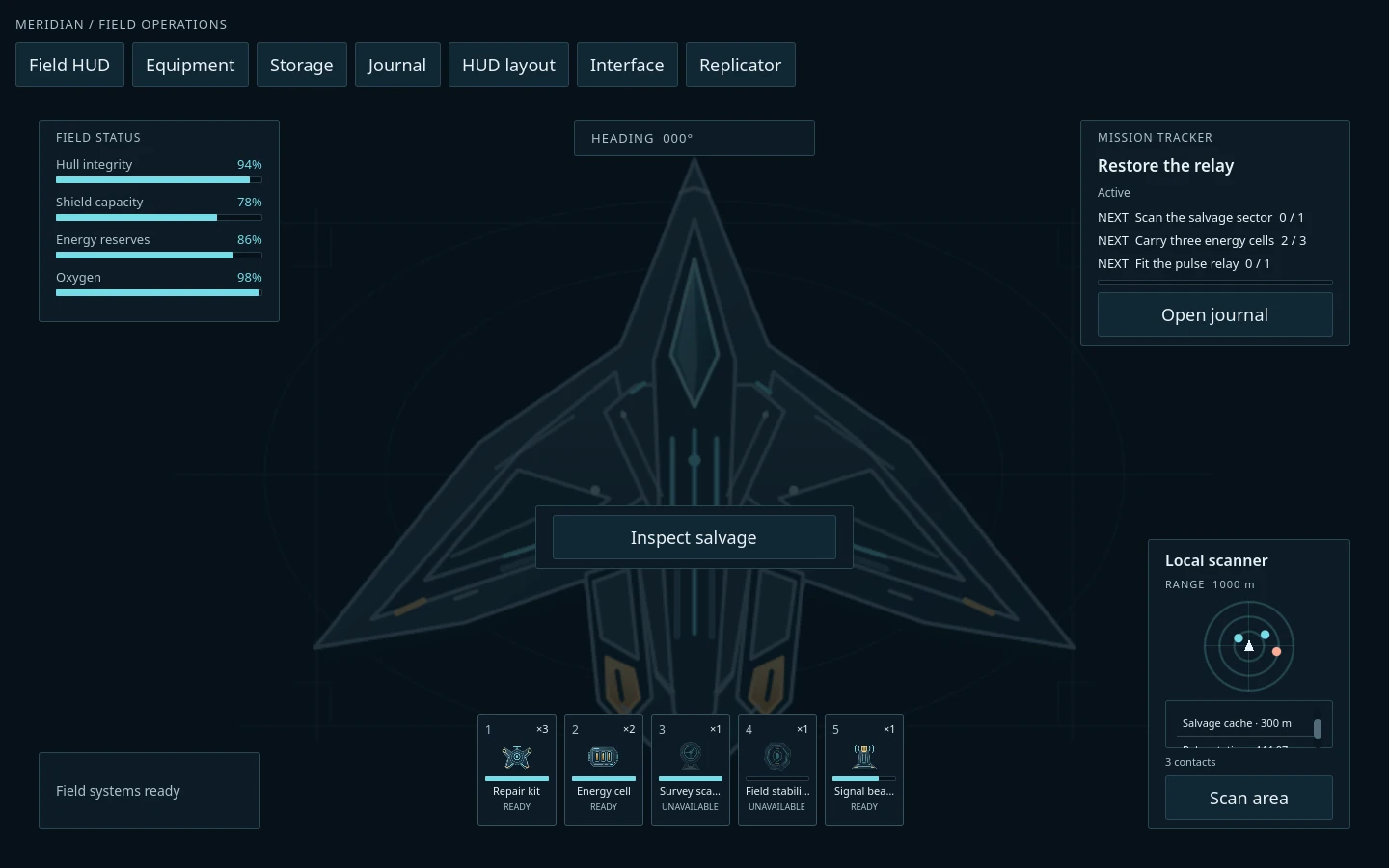
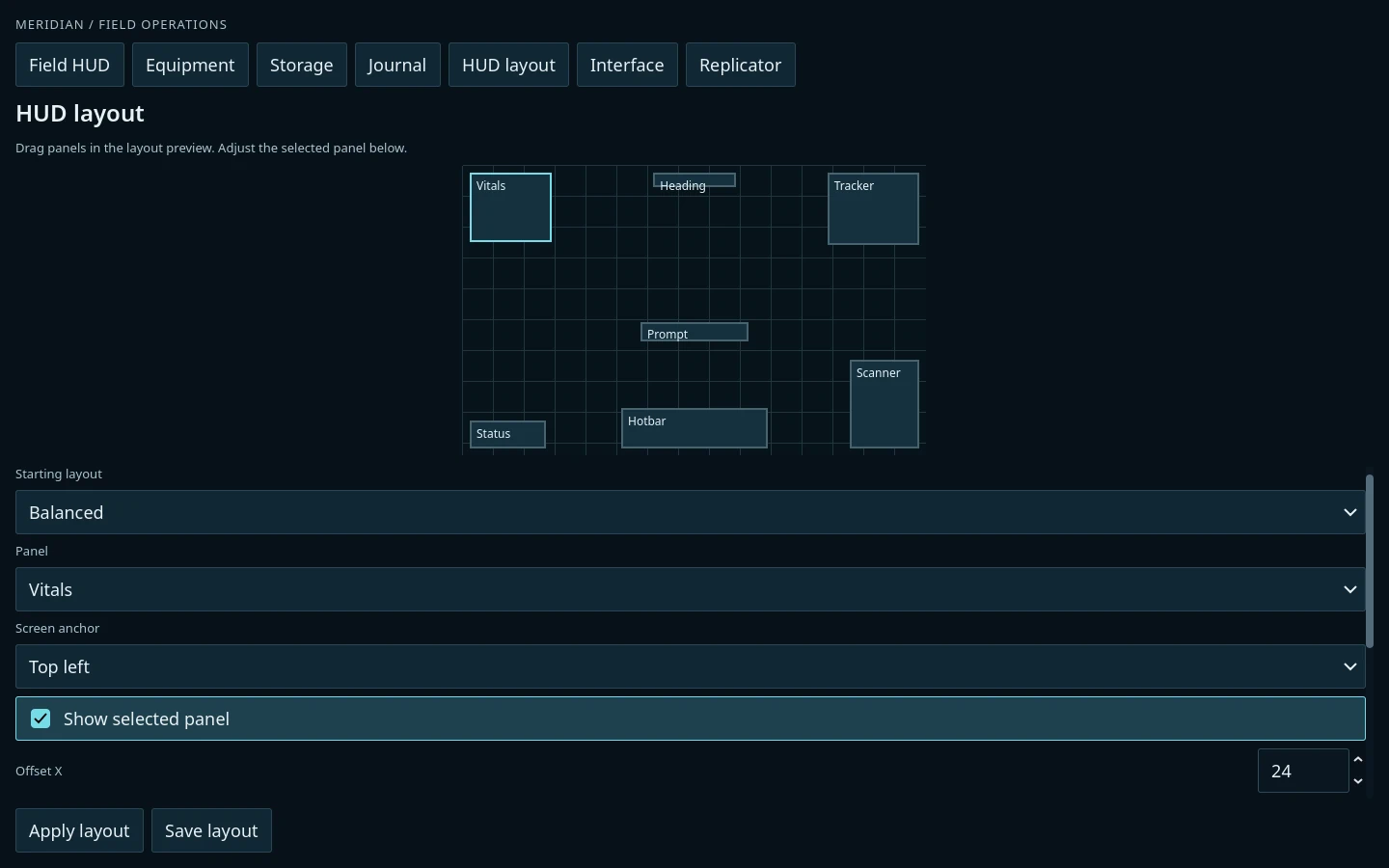
Arrange the field HUD’s panels, anchors and offsets, then save the layout. Keep the status readouts, hotbar, scanner and mission tracker you want to use.
Equipment comparison, loot and storage transfers, a mission journal and mission cards give you more places to start.
Field HUD · Optional screens and components. ↗Arrange the panels, then save your layout. ↗
Inside the download
More than a matching look.
Nine screens, reusable components and practical examples, with offline English guides to help you connect them to your project.
Build your interface
Main, Pause and Settings
Cargo / Loadout and Save Browser
Mission Board and Mission Journal
Replicator and Loot / Storage
39 component scenes, including button variants
Make it your own
Editable scenes and GDScript source
Native items, ingredients, blueprints and catalogs
Icons, module and mission illustrations
Five optional UI feedback sounds
Seven example scenes and editor walkthroughs
Before you build
A few useful details.
Which Godot version is this for?
The Godot edition uses GDScript and Godot 4.6.2 standard. It is tested on Windows and Chrome Web with mouse and keyboard. Menu layouts start at 960 × 640; the larger showcase uses 1440 × 900.
What does my game need to provide?
Orbital supplies the interface and small in-memory integration examples. Your game provides inventory and equipment rules, crafting transactions, quest logic, cooldown timing, gameplay saves and any multiplayer backend.
Can I use my own artwork and content?
Yes. Replace the supplied icons and illustrations and create your own native item, ingredient, blueprint and catalog resources. The included guides explain the workflow, shared Themes and artwork sizes.
Can I use it in a commercial game?
Yes. The included asset license permits use and modification in personal and commercial games and applications. Standalone resale of the kit or its editable assets is prohibited. There is no runtime account or subscription.
What support is included?
Help with documented workflows, reproducible kit bugs and purchase or download issues. Contact hello@huldraheim.com. Custom game systems and bespoke integration are outside included support.